

Add a new user
To create a user, simply go to Users & Permissions > Users and click Create User.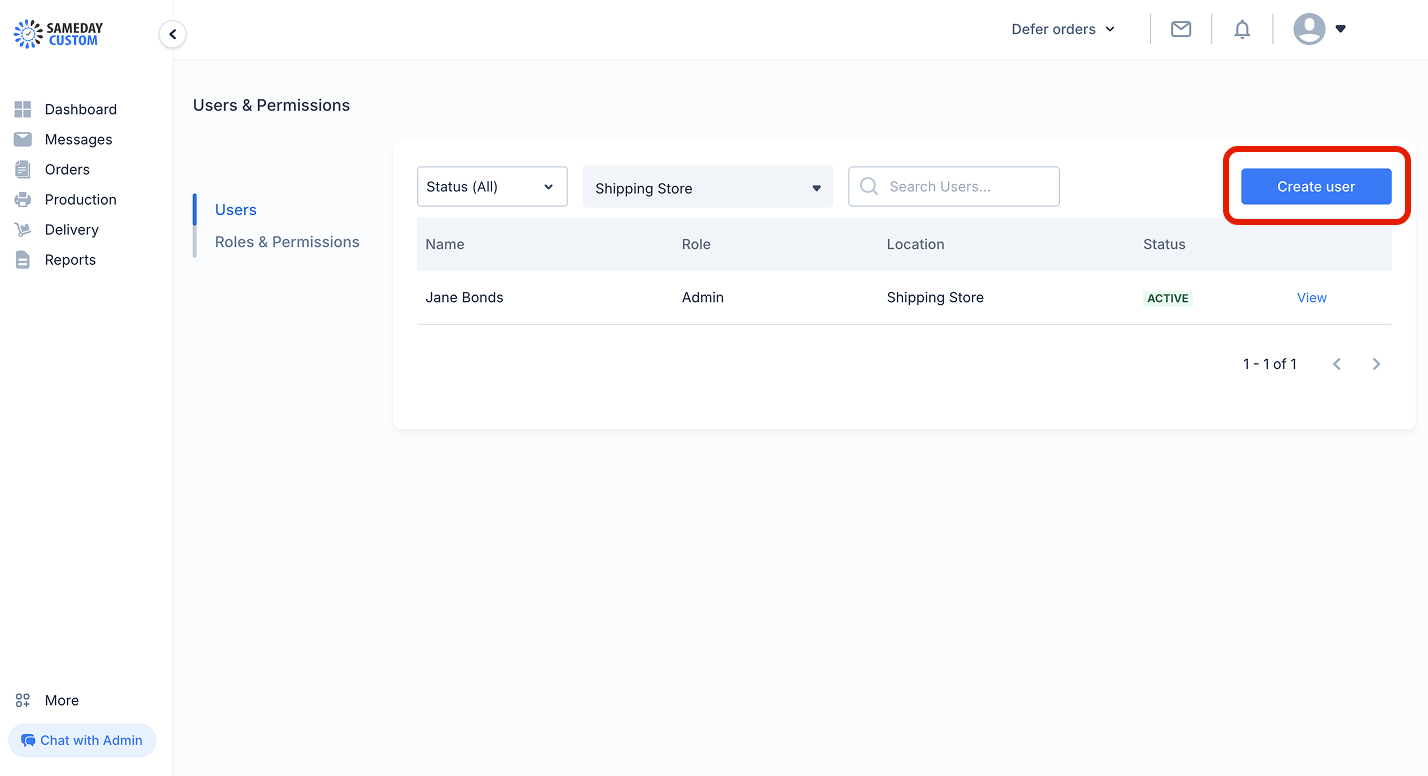
- First name
- Last name
- Phone number
- Email address
- Role - A user must be assigned a role before they can be added to the system
- Store Location - A user must be assigned a store location before they can be added to the system
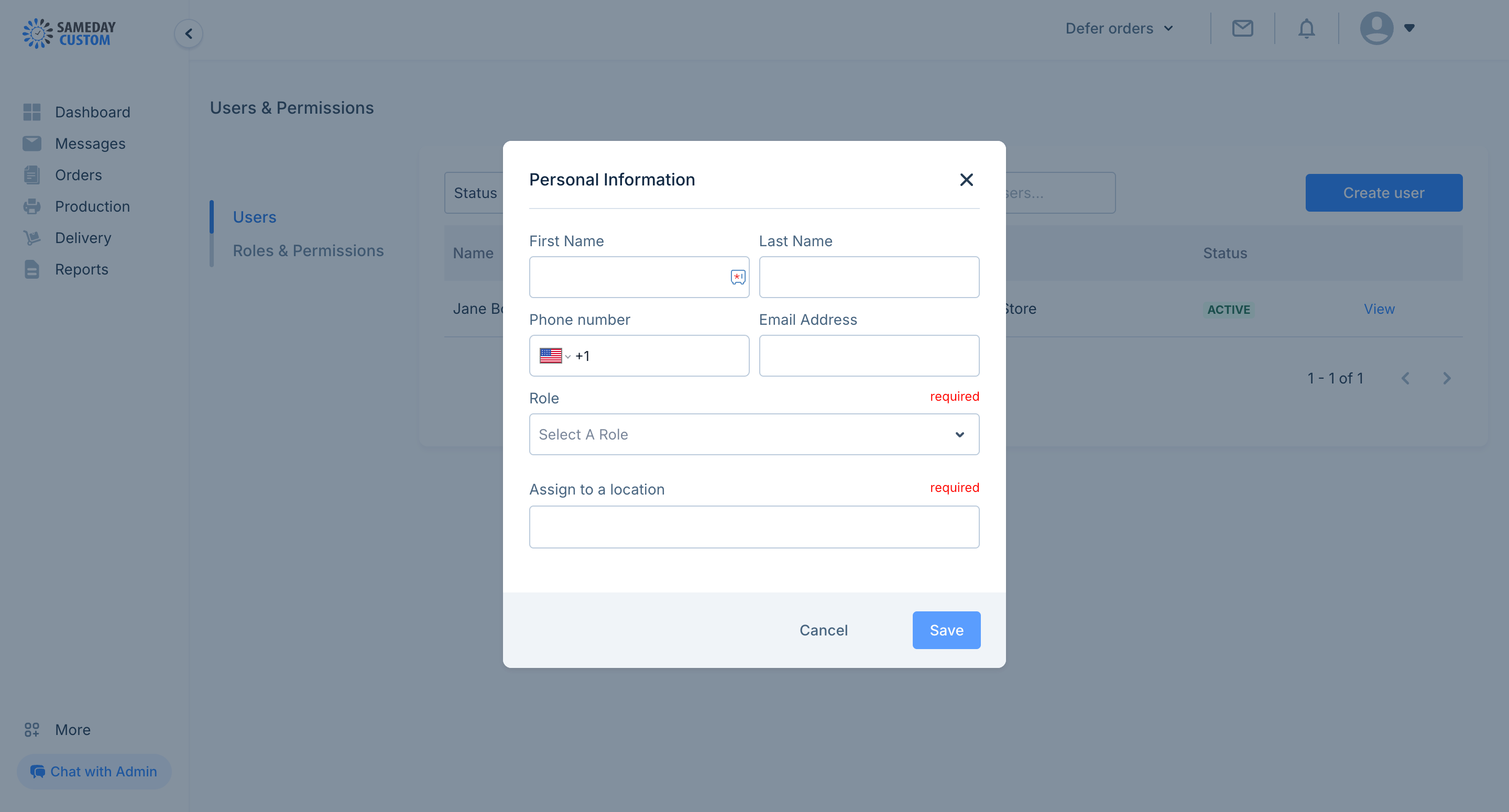
A user must be assigned a role and to a store location before they can be added to the system
Reset a user’s password
To reset a user’s password, the user has to request for a reset link to be sent to their email address. Using the reset link, the user can change their password without logging in to the platform.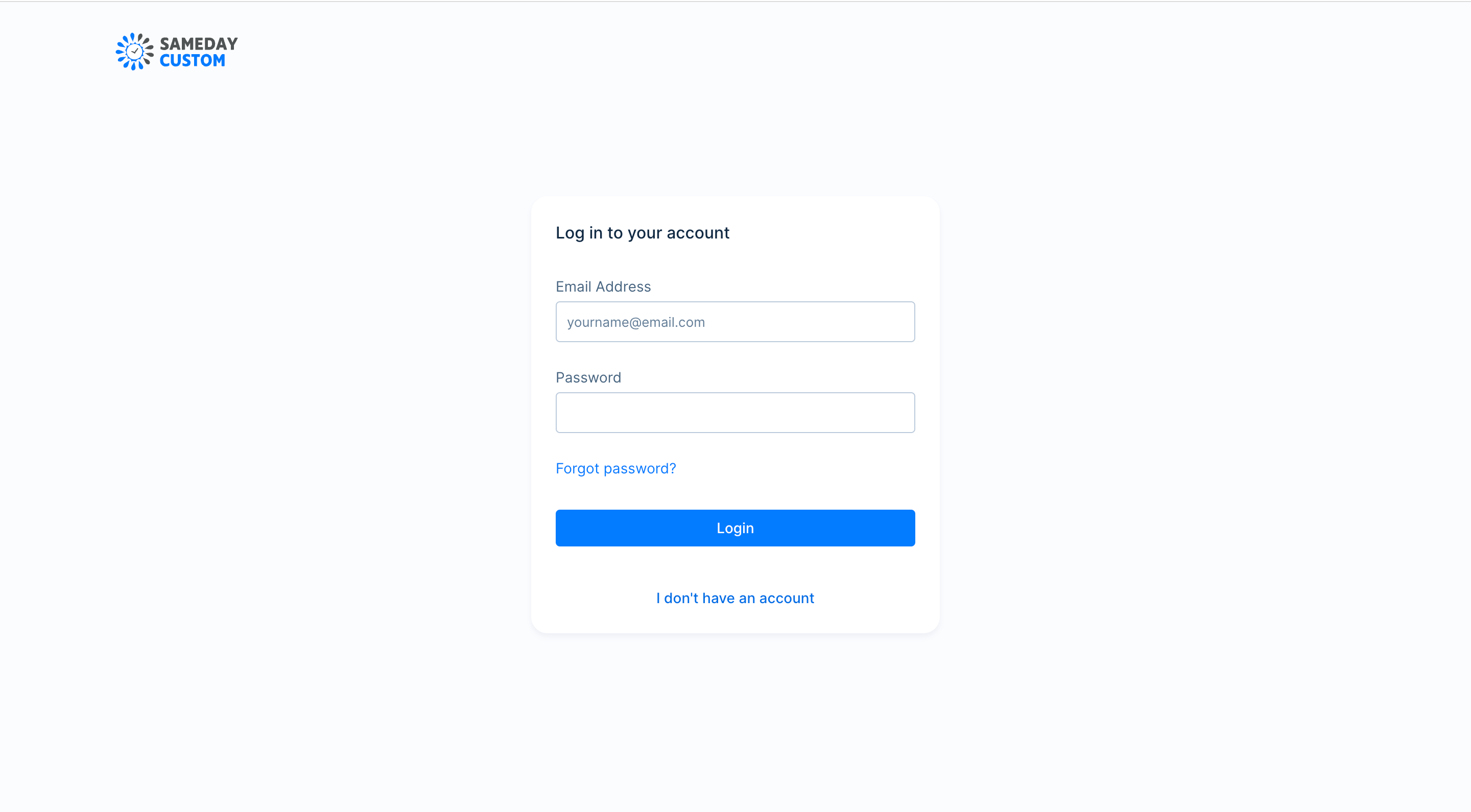
Click Forgot password to initiate password reset