

For every new order that is assigned to your store, you will receive the following notifications:
- An email message.
- A browser notification.
- An automated phone call to the store, when there is a delay in accepting the order.

New order on the orders table
- Quickly accepting orders increases your rating as a vendor which will enable us to prioritize you for all future orders.
- Declining orders often results in disconnecting your store from the platform except for extenuating circumstances such as: equipment breakdown, the store being closed for that day, or the customer requesting it.
- Order Notes & Messages: Make sure you pay attention to all notes and messages from the customers.
To accept new orders, click the Accept Button on the order details
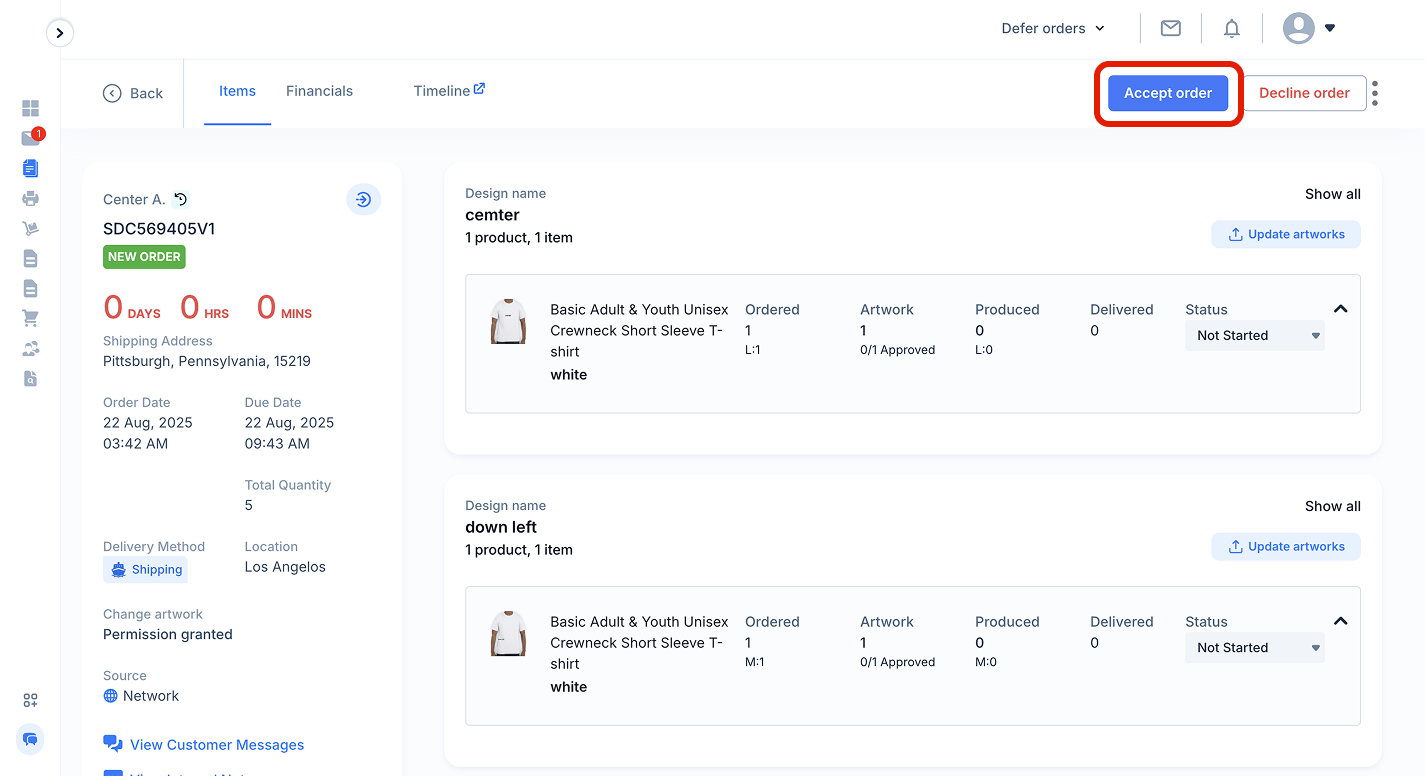
New order that comes into a store location